 listicle
Best Tech Accessories for Remote Workers in 2026
Table of Contents
- Quick Comparison: Best Tech Accessories for Remote Workers at a Glance
- How We Evaluated These Accessories
- Home Office Setup Essentials: The Foundation of a Productive Workspace
- Ergonomic Accessories for Remote Work: Comfort That Protects Your Body
- Noise-Canceling Headphones for Home Office: Focus Without Distraction
- Portable Tech for Remote Workers: Power and Connectivity on the Go
- Two Angles Most Best Tech Accessories Lists Ignore
- Which Tech Accessories for Remote Workers Should You Actually Buy?
Last Updated: August 2, 2026
Finding the best tech accessories for remote workers is harder than it looks. Most guides rehash the same top-ten list every year, burying genuinely useful recommendations under sponsored noise. At Esther Tech Shop, we curated this guide specifically for remote professionals who need honest, practical recommendations. Below, you'll find our top picks across every major category, two angles most lists ignore entirely, and a clear breakdown of where your budget actually matters.
The right tech accessories protect your body, sharpen your focus, and eliminate friction that kills productivity over an eight-hour workday.
Quick Comparison: Best Tech Accessories for Remote Workers at a Glance
| Accessory | Best For | Price | Standout Feature |
|---|---|---|---|
| Dell UltraSharp U2723QE | Display and connectivity hub | $599.99 | 4K IPS Black + USB-C hub |
| Twelve South Curve Stand | Laptop ergonomics | $59.99 | Single-piece aluminum, 6.5" lift |
| ErgoTune Supreme V3 | All-day seating comfort | Contact for US pricing | 11-15 adjustment points |
| Logitech MX Master 3S | Multi-device productivity | $89.99 | MagSpeed scroll, quiet clicks |
| Keychron K2 V2 | Compact mechanical typing | From $69.00 | Bluetooth 5.1 + USB-C |
| Bose QuietComfort 45 | Focus in noisy environments | $299.00 | 22-hour battery, ANC |
| Blue Yeti USB Mic | Voice clarity on calls | $87.51 | 4 polar patterns, plug-and-play |
| Anker 737 Power Bank | Portable power for travel | $159.99 | 140W USB-C PD, 24,000mAh |
| Ring Light Kit | Video conferencing lighting | $159.99 | 3200K-5600K adjustable temp |
How We Evaluated These Accessories
Every product was assessed against four criteria: ergonomic impact, workflow integration, device compatibility, and long-term durability. We prioritize daily usability over spec-sheet impressiveness. A monitor with a built-in USB-C docking station beats a display that forces you to buy a separate hub and manage three extra cables.
We also weighed portability for digital nomads, accessibility features for users with specific physical needs, and energy efficiency for those conscious of home office power consumption.
Home Office Setup Essentials: The Foundation of a Productive Workspace
A poorly configured workspace compounds into hours of lost productivity weekly through neck strain, eye fatigue, and cable management frustration. According to OSHA's ergonomics resources for computer workstations, improper workstation setup is a leading contributor to musculoskeletal disorders among office workers.
Dell UltraSharp U2723QE 27-Inch 4K Monitor
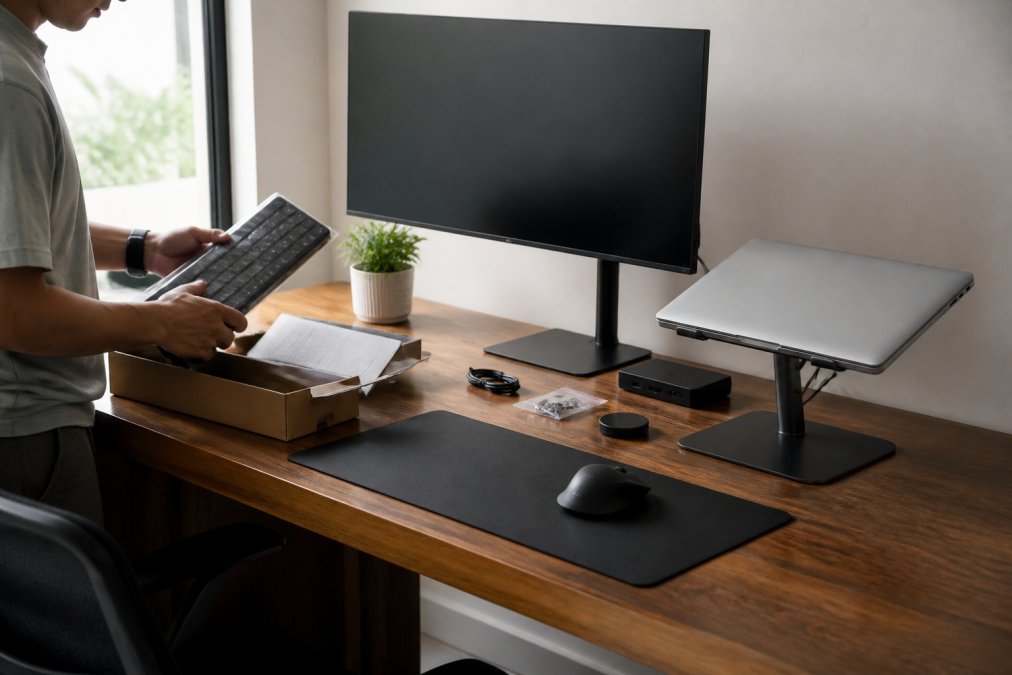
The Dell UltraSharp U2723QE eliminates the need for a separate docking station. At 3840 x 2160 resolution with IPS Black technology, the contrast and color accuracy reduce eye strain during long reading sessions. The integrated USB 3.2 Gen 2 hub with 90W USB-C Power Delivery means you can connect your laptop, charge it, and route peripherals through a single cable.
Pros: Stunning 4K clarity, built-in USB-C hub simplifies desk setup, ergonomic stand with height/tilt/swivel/pivot adjustments Cons: HDR performance is adequate but not optimized for professional content creation; $599.99 price point is a genuine commitment
Twelve South Curve Laptop Stand
The Twelve South Curve gets your laptop screen to eye level at 6.5 inches of elevation, positioning most displays close to the ergonomic target for neck-neutral posture. Machined from a single piece of aluminum, it eliminates wobble and flex. At $59.99, it's one of the best value ergonomic purchases in this guide.
It requires an external keyboard and mouse to be practical. If you're not already using peripherals, factor that into the total cost.
Best for: Laptop-primary remote workers who want a clean, minimal desk aesthetic without sacrificing ergonomics.
Ergonomic Accessories for Remote Work: Comfort That Protects Your Body
Chronic back pain, repetitive strain injuries, and carpal tunnel syndrome are occupational hazards for desk workers and largely preventable with the right equipment. The National Institute for Occupational Safety and Health ergonomics guidance identifies workstation setup as a primary intervention point for preventing these conditions.
ErgoTune Supreme V3 Office Chair
The ErgoTune Supreme V3 offers 11 to 15 configurable adjustment points including the ATLAS adjustable lumbar support system, headrest, armrests, and seat depth. It accommodates a wide range of body types rather than forcing you into one manufacturer's idea of "standard."
The DuraWeave Hybrid Mesh keeps airflow moving during long sessions, which matters in warmer home environments where standard foam chairs trap heat.
Pros: Exceptional adjustability, lumbar support system promotes proper spinal alignment, durable build with strong warranty Cons: The lumbar support can feel aggressive initially. Some users note the headrest doesn't lock as firmly as expected at all height positions.
Logitech MX Master 3S Wireless Mouse
The Logitech MX Master 3S is the input device most remote workers should buy first. At $89.99, it delivers MagSpeed electromagnetic scrolling at 1,000 lines per second, an 8,000 DPI optical sensor that tracks on glass, and Quiet Clicks that reduce noise by 90% while maintaining tactile feedback.
The Flow cross-computer control feature lets you move the cursor between devices as if they share one desktop, useful for anyone running two machines.
Pros: Exceptional scrolling precision, ergonomic shape reduces hand fatigue, multi-device connectivity via Bluetooth or Logi Bolt Cons: The size favors larger hands; some users with smaller hands find the grip uncomfortable. Button sensitivity can be overly responsive.

Keychron K2 V2 Wireless Mechanical Keyboard
The Keychron K2 V2 is the compact mechanical keyboard for remote workers who want tactile typing feedback without dominating their desk. The 75% layout retains 84 keys, keeping function row and arrow keys while cutting the footprint significantly.
Bluetooth 5.1 connectivity handles up to three paired devices, and USB-C wired mode provides a reliable fallback. Available switch options (Red, Brown, Blue Gateron) let you match the keyboard to your typing style. Starting at $69.00, it's an accessible entry point into mechanical keyboards.
Pros: Satisfying mechanical typing experience, compact design, broad OS compatibility including macOS, Windows, iOS, and Android Cons: Non-hot-swappable versions require soldering to change switches. Bluetooth reliability has been inconsistent for some users.
Noise-Canceling Headphones for Home Office: Focus Without Distraction
Noise-canceling headphones eliminate interruptions that break concentration. Every time your focus breaks, the cognitive recovery period extends your actual working time significantly.
Bose QuietComfort 45 Headphones
The Bose QuietComfort 45 delivers best-in-class acoustic noise cancellation for remote work environments. Aware Mode provides ambient sound access while full ANC enables deep focus. Twenty-two hours of battery life means a full workweek of use before recharging. The TriPort acoustic architecture produces audio depth that makes long listening sessions comfortable.
At $299.00, these are a premium purchase, but for anyone working in a shared home or noisy environment, the focus improvement is immediate.
Pros: World-class noise cancellation, comfortable for extended wear, dual-mode ANC/Aware flexibility Cons: The design is functional rather than fashionable. Newer Bose models offer incremental improvements.
Blue Yeti USB Microphone
Voice clarity on video calls is underrated as a productivity tool. Poor audio forces listeners to concentrate harder and signals unprofessionalism in client-facing meetings. The Blue Yeti USB Microphone delivers broadcast-quality 48 kHz/16-bit audio with plug-and-play setup requiring no drivers on Mac or PC.
Four selectable polar patterns (cardioid, bidirectional, omnidirectional, stereo) make this microphone versatile. Cardioid handles standard solo calls; omnidirectional works for conference-style setups; stereo covers podcast and content recording scenarios.
At $87.51, it's one of the most cost-effective professional audio upgrades available.
Pros: Excellent voice clarity, onboard headphone jack for latency-free monitoring, flexible pickup patterns Cons: The physical footprint is substantial. If desk space is limited, the Yeti's size becomes a real consideration.
Portable Tech for Remote Workers: Power and Connectivity on the Go
Portable tech for remote workers who travel requires different evaluation criteria. Latency, device compatibility, and USB-C Power Delivery capacity matter more than raw specs when working from client sites, coworking spaces, or airports.
Anker 737 Power Bank (PowerCore 24K)
The Anker 737 is the portable power solution for remote workers needing laptop-level charging away from wall outlets. The 24,000mAh capacity and 140W two-way fast charging via Power Delivery 3.1 technology charges a power-hungry laptop alongside a phone and tablet simultaneously through two USB-C and one USB-A ports.
The digital display showing real-time output/input power and estimated recharge time removes guesswork during travel. At $159.99, it pays back every time you avoid hunting for an outlet in a crowded airport.
Pros: High capacity for multi-device charging, fast laptop charging capability, real-time digital display Cons: The unit is bulky and heavier than compact power banks. No foldable wall plug means you need a separate cable for recharging.
Ring Light Kit for Video Conferencing
Lighting is the single most overlooked element of video conferencing quality. A ring light with adjustable color temperature between 3200K and 5600K eliminates the washed-out, shadowed appearance that built-in laptop cameras produce under standard room lighting.
The Lume Cube Cordless Ring Light Pro offers cordless operation for flexible placement, a light stand, and a smartphone holder. At $159.99, it significantly improves how you appear in every video call.
Pros: Significantly improves on-camera appearance, adjustable brightness and color temperature, portable and easy to reposition Cons: Requires desk or floor space for the stand. Quality varies widely across brands at lower price points.
Two Angles Most Best Tech Accessories Lists Ignore
Accessibility-Focused Tech Choices
Accessibility-focused tech is consistently underserved in generalist review sites. For remote workers with visual impairments, motor difficulties, or auditory processing differences, standard recommendations often don't apply.
Key considerations include monitors with high-contrast display modes and built-in accessibility software support, keyboards with programmable keys for one-handed use, and microphones with directional pickup patterns. The ADA National Network guidance on workplace accommodations offers a useful framework for identifying impactful accommodations.
When evaluating tech accessories for remote workers with accessibility needs, prioritize device compatibility with operating system accessibility features (VoiceOver on macOS, Narrator on Windows) over raw performance specs.
Energy Efficiency and Power Management
Energy efficiency is a legitimate financial and environmental consideration for home office setups and rarely discussed in tech accessory guides.
Monitors account for significant home office power consumption. The Dell UltraSharp U2723QE carries Energy Star certification and includes auto-brightness adjustment that reduces power draw during lower-demand periods. USB-C Power Delivery consolidates charging into fewer wall adapters, reducing standby power waste compared to running multiple dedicated chargers.
Which Tech Accessories for Remote Workers Should You Actually Buy?
The honest answer depends on where you're starting from. If your current setup is a laptop on a kitchen table with no peripherals, ergonomic and display categories return the most immediate value. If you're already at a desk with a monitor, audio and lighting upgrades tend to have the highest visible impact on professional perception.
Budget-Tier vs. Premium-Tier: Where to Spend and Where to Save
Spend on:
- Seating and ergonomics. The ErgoTune Supreme V3 and comparable chairs are worth the investment because the cost of chronic back pain far exceeds the price of a quality chair over a multi-year horizon.
- Display quality. Eye strain reduction from a high-resolution, anti-glare panel like the Dell UltraSharp compounds over thousands of hours of use.
- Noise cancellation. The Bose QuietComfort 45 at $299.00 is premium-priced for premium results. In a noisy environment, there's no budget substitute that performs comparably.
Save on:
- Laptop stands. The Twelve South Curve at $59.99 performs identically to stands costing twice as much.
- Mechanical keyboards. The Keychron K2 V2 starting at $69.00 delivers excellent typing experience. You don't need to spend $150+ for the tactile feedback and connectivity that matter.
- Ring lights. Established brands at the $100-$160 range deliver professional video conferencing results. Diminishing returns set in quickly above that threshold.
According to Consumer Reports' buying guide methodology for tech products, the performance gap between mid-tier and premium-tier products in mature categories like monitors and headphones is often smaller than the price gap suggests. The exception is noise cancellation, where engineering quality directly correlates with acoustic performance.
The best tech accessories for remote workers aren't always the most expensive ones. They're the ones that address your specific friction points without creating new ones.
Building a home office setup that supports how you work takes more than buying the most popular items on a list. The right combination of ergonomic accessories for remote work, reliable audio equipment, and portable tech is specific to your environment, your devices, and your daily workflow. Esther Tech Shop carries a curated selection of high-quality tech accessories, with every order shipping within 24-48 hours guaranteed and customer service available Monday through Saturday, 9 a.m. to 8 p.m., if you have questions before or after purchase. Browse the full catalog and continue shopping to find the accessories that fit your setup.
Frequently Asked Questions
What are the essential tech accessories for remote workers in 2026?
The core accessories most remote workers need include a high-resolution external monitor, an ergonomic chair with lumbar support, a noise-canceling headset or headphones, a mechanical keyboard, a wireless mouse, and a reliable USB-C docking station or hub. Beyond those, a quality USB microphone and a ring light make a significant difference for video conferencing. Prioritize ergonomics and audio clarity first, then add connectivity and display upgrades as your budget allows. Visit Esther Tech Shop to browse current options and pricing.
How do noise-canceling headphones help remote workers focus at home?
Noise-canceling headphones for home office use reduce ambient sounds like street noise, household activity, and HVAC hum, which allows you to concentrate without mental effort spent filtering distractions. Models like the Bose QuietComfort 45 use active noise cancellation to block low-frequency sounds, while also offering an Aware Mode so you can hear important sounds when needed. For calls, they improve voice clarity on both ends by reducing background noise picked up by built-in microphones.
Why is a docking station or USB hub useful for a home office setup?
A docking station lets you connect a single USB-C cable to your laptop and instantly access your monitor, keyboard, mouse, webcam, and storage devices. This simplifies cable management dramatically and turns your laptop into a full desktop workstation in seconds. Monitors like the Dell UltraSharp U2723QE include a built-in USB-C hub with 90W power delivery, combining display and connectivity in one device. For remote workers switching between desk and mobile work daily, this kind of setup saves real time.
What ergonomic accessories for remote work make the biggest difference for long hours?
An adjustable ergonomic chair with lumbar support is the single highest-impact purchase for anyone sitting six or more hours a day. After that, a laptop stand that raises your screen to eye level eliminates neck strain, though it requires pairing with an external keyboard and mouse. A wireless ergonomic mouse like the Logitech MX Master 3S reduces wrist fatigue over long sessions. These three together address the most common physical complaints remote workers report: back pain, neck stiffness, and wrist discomfort.
Are the wireless charging and portable power solutions at Esther Tech Shop compatible with my specific devices?
Compatibility depends on your devices' charging standards. For example, the Anker 737 Power Bank uses USB-C Power Delivery 3.1, which is compatible with most modern laptops, iPads, and smartphones. Before purchasing, check whether your device supports USB-C PD charging and what wattage it requires. Esther Tech Shop's customer service team is available Monday through Saturday, 9 a.m. to 8 p.m., and can help confirm compatibility for your specific setup before you order.
This article was written using GrandRanker