 blog
blog
Buy High Quality Desk Gadgets: 2026 Guide
Table of Contents
- Why Buy High Quality Desk Gadgets
- Best Tech Accessories for Remote Workers
- Cable Management and Wireless Charging Solutions
- Premium Desk Organization Tools That Actually Work
- How to Build a Professional Desk Setup
- Sustainability and Ecosystem Compatibility
- What to Avoid When Upgrading Your Desk
- Conclusion
- Frequently Asked Questions
Last Updated: August 31, 2026
Why Buy High Quality Desk Gadgets
The difference between a cluttered, inefficient desk and a simplified workspace comes down to intentional investment in the right tools. When you buy high quality desk gadgets, you're building a system that supports focus, reduces friction, and makes your work environment actually work for you.
Most people approach desk upgrades haphazardly, grabbing whatever's on sale or accumulating gadgets without purpose. The result is predictable: tangled cables, slow charging, and frustration. At Esther Tech Shop, professionals who get the best results aren't those with the most gadgets, but those who choose carefully. They prioritize cable management, wireless charging, ergonomic positioning, and organization systems that reduce mental load.

High quality desk gadgets eliminate small annoyances that compound throughout your day. A premium wireless charging station means one less cable on your desk. A monitor riser positions your screen at eye level, reducing neck strain. A cable management hub consolidates connections into one organized point. These are functional upgrades that directly impact work efficiency. The challenge isn't finding gadgets, it's finding the right ones that match your setup, integrate well with existing devices, and deliver real value.
Best Tech Accessories for Remote Workers
Remote workers face a unique challenge: your desk is your entire office. Unlike a corporate workspace where IT handles infrastructure, you're responsible for everything, connectivity, power delivery, ergonomics, and cable management.
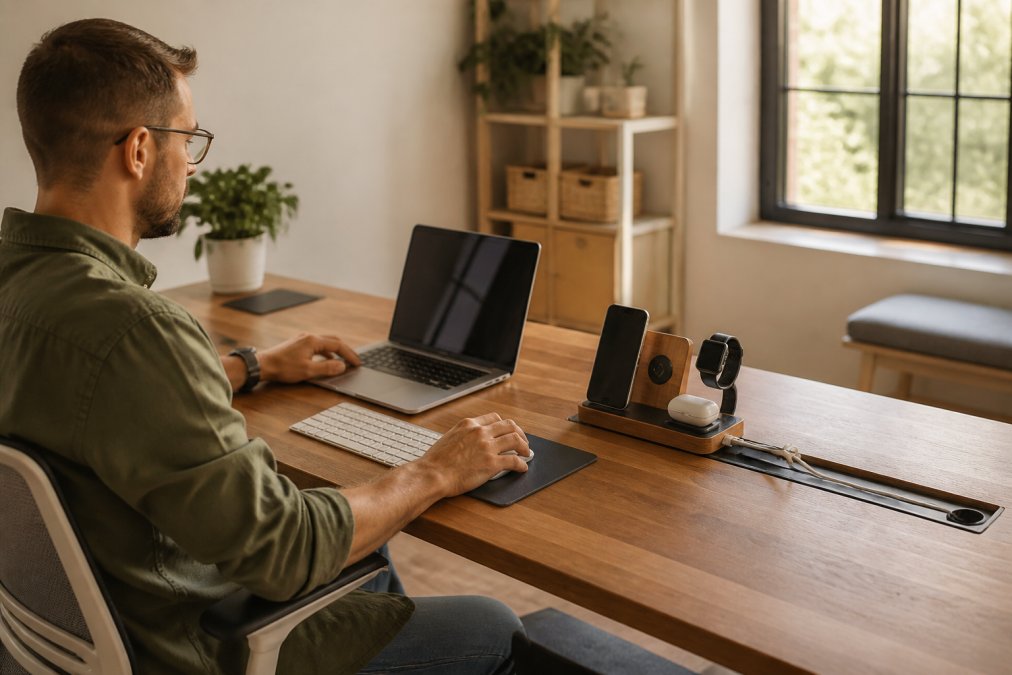
The foundation of a functional remote workspace starts with power and connectivity. The 3-in-1 Magnetic Wireless Charging Station, 15W Fast Charge from Esther Tech Shop ($44.99) consolidates charging for three devices into one magnetic pad with dedicated cradles for earbuds and smartwatch. The 15W output means fast charging for compatible phones, and the USB-C input keeps it compatible with your existing cables.
For content creators and professionals who present frequently, the Bluetooth Selfie Ring Remote, Phone Camera & Music Control ($24.99) controls your camera shutter, music playback, screen navigation, and page scrolling from a ring on your thumb. For video calls, presentations, or content creation, this eliminates awkward reaches and gives precise control without touching your device.

Beyond individual devices, a monitor riser elevates your screen to eye level, freeing desk surface and improving ergonomics. A keyboard tray positions your arms correctly for extended workdays. Cable management is where most home offices fall apart, a quality cable organizer keeps connections contained and labeled, transforming a chaotic desk into a controlled workspace.
Cable Management and Wireless Charging Solutions
Cable management isn't aesthetic, it's functional. Every visible cable on your desk is cognitive load. When cables are routed, hidden, or eliminated through wireless charging, your workspace becomes quieter and focus improves.
Wireless charging has matured significantly. The key is choosing one that matches your device ecosystem. The 3-in-1 Magnetic Wireless Charging Station combines a phone pad, earbuds cradle, and watch stand in one unit. The 9V/2A stable power delivery ensures consistent charging without overheating, protecting battery longevity (fcc.gov). The USB-C input means you're not locked into proprietary cables.
For cable management beyond charging, consolidate cables into one area behind your monitor or along the desk edge, label everything, use cable sleeves or clips to bundle cables that run together, and keep cables off the floor and desk surface. The wireless charging approach eliminates one category of cables entirely, instead of separate charging cables for phone, watch, and earbuds, you have one power connection to the charging station.
One overlooked detail: cable length matters. Measure the distance from your desk to the nearest outlet before buying any charging solution. If the distance is problematic, consider a power strip with USB ports positioned closer to your workspace.
Premium Desk Organization Tools That Actually Work
Organization tools fall into two categories: ones that look good and ones that actually work. The best do both, but functionality wins. A premium desk organization system should reduce daily decisions and make it obvious where everything belongs.
The most effective approach combines vertical storage (shelves, wall-mounted organizers, monitor stands with built-in storage) with horizontal storage (desk drawers, organizers, cable management boxes). Desktop organizers designed for tech professionals typically include compartments for cables, USB drives, pens, and small devices. The best use modular designs so you can configure them to match your actual needs.
A monitor riser serves double duty: it positions your screen at the correct height for ergonomics and creates storage space underneath for a keyboard, mouse, or organizer. Cable management boxes consolidate your power delivery infrastructure, eliminating visual clutter and making troubleshooting easier.
The principle behind premium organization tools is simple: they should reduce friction, not add it. The best systems are invisible, you use them without thinking about them.
How to Build a Professional Desk Setup
Building a professional desk setup isn't about buying the most expensive gadgets. It's about understanding what your work requires and choosing tools that support that work.
Start with your desk itself. A quality desk provides a stable, appropriately sized surface. If you're using a standing desk, it should move smoothly and support equipment at correct heights for both sitting and standing.
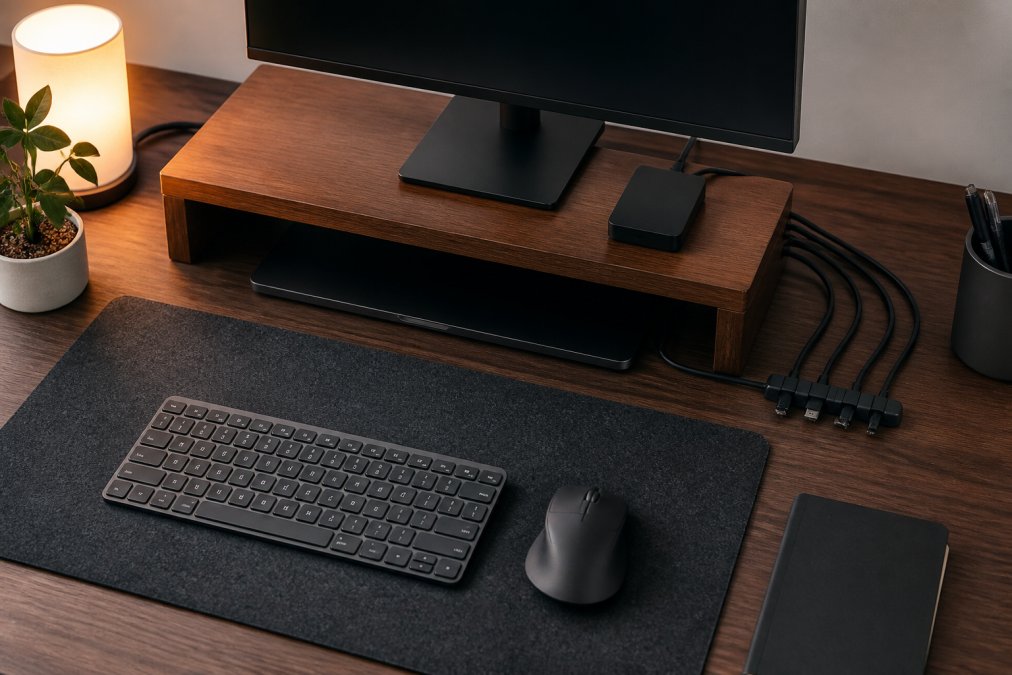
Position your monitor at eye level when sitting upright with shoulders relaxed, about 20 to 26 inches from your eyes (osha.gov). A monitor riser or arm accomplishes this, preventing neck strain and eye fatigue.
Arrange your keyboard and mouse so your elbows are at 90 degrees and your wrists are neutral (the CDC). Your mouse should be at the same height as your keyboard and positioned close enough that your arm isn't extended. Ergonomic accessories like keyboard trays and mouse pads with wrist support are essential.
Position your desk perpendicular to windows or use adjustable task lighting to illuminate your work surface without creating reflections on your screen. Ambient lighting reduces the contrast between your bright monitor and dark surroundings, reducing eye fatigue.
Consolidate power and charging infrastructure into one location using a power strip or cable management hub. Route all cables from this central point. Finally, add organization and storage systems, everything you use daily should be within arm's reach, everything you use weekly should be accessible but not taking up prime desk real estate, and everything else should be stored away.
The professional desk setup evolves as your work changes. Regularly assess what's working and what's creating friction. The best setup is one you adjust based on your actual workflow.
Sustainability and Ecosystem Compatibility
Sustainability in desk gadgets means durability and compatibility. A gadget that lasts five years is more sustainable than one that lasts one year. A gadget that works with your existing ecosystem is more sustainable than one that forces replacement of other equipment.
When buying high quality desk gadgets, durability should be a primary consideration. Premium wireless charging stations with proper power management outlast cheap alternatives by years. Ecosystem compatibility is equally important, choosing gadgets designed for your device ecosystem means better integration, reliability, and longevity.
The magnetic charging approach is sustainable because it's flexible. As you upgrade devices over time, a magnetic charging station continues to work with new devices. The charging pad works with any Qi-compatible phone. The cradles work with any watch or earbuds that fit.
Premium desk gadgets often use aluminum, stainless steel, or high-quality plastics that don't degrade quickly and tend to be repairable. When evaluating gadgets for sustainability, ask: Is this made from durable materials? Does it use standard connectors and charging standards? Will it work with future devices? Can it be repaired if something breaks?
What to Avoid When Upgrading Your Desk
The most common mistake is buying gadgets before understanding your actual workflow. Avoid gadgets that solve problems you don't have. If you don't have cable clutter, don't buy a cable management system just because it looks nice.
Avoid incompatibility. Before purchasing any charging gadget, verify it's compatible with your specific devices. Check specifications, not just marketing copy.
Avoid cheap power delivery. A cheap charging station might overheat, charge slowly, or damage your device's battery. A premium charging station with proper power management protects your devices and lasts longer.
Don't buy gadgets that increase cable clutter instead of reducing it. The goal is fewer cables, not reorganized cables.
Avoid aesthetic-first choices. A gadget might look beautiful but be frustrating to use daily. Read reviews from actual users and look for common complaints about durability, compatibility, or functionality.
Finally, avoid thinking that more gadgets equals a better setup. A minimalist desk with five carefully chosen gadgets often outperforms a cluttered desk with twenty. Each addition should serve a clear purpose.
Conclusion
Building a professional desk setup with high quality desk gadgets is an investment in your daily work environment and long-term health. The right tools reduce friction, improve focus, and make your workspace feel intentional rather than chaotic.
Start with your actual workflow, identify the specific problems your current setup creates, and choose gadgets that solve those problems. A wireless charging station eliminates cable clutter. A monitor riser improves ergonomics. A cable management hub consolidates connections. Each gadget should serve a clear purpose.
Esther Tech Shop specializes in high-quality tech accessories curated for professionals who take their workspace seriously. Our 3-in-1 Magnetic Wireless Charging Station and Bluetooth Selfie Ring Remote are designed to solve real problems without adding complexity. With guaranteed shipping within 24-48 hours, secure payments, and customer service available Monday to Saturday, 9 a.m. - 8 p.m., we make upgrading your desk setup straightforward. Start building your professional desk setup today, your focus and your back will thank you.
Frequently Asked Questions
Q: What makes high quality desk gadgets worth the investment?
A: Premium desk gadgets deliver durability, better build quality, and genuine functionality that budget alternatives lack. High quality desk gadgets use materials that withstand daily use, offer reliable performance over years, and often include features that directly boost productivity. Wireless charging stations with proper alignment, ergonomic accessories designed with proper support, and cable management systems that actually hold cables all represent the difference between a gadget that frustrates you and one that quietly improves your workflow.
Q: How do I choose the right tech accessories for my remote work setup?
A: Start by identifying your actual pain points: cable clutter, device charging, organization, or ergonomics. Then prioritize accessories that solve those specific problems rather than buying gadgets because they look cool. Consider compatibility with your existing devices and ecosystem, a wireless charger that doesn't align properly with your phone wastes desk space. Look for products with stable power delivery ratings, durable materials, and proven build quality. Read real customer feedback about durability and functionality, not just aesthetics.
Q: Are premium desk gadgets actually better for long-term use?
A: Yes, when chosen correctly. Premium desk gadgets typically use higher-grade materials, better internal components, and more rigorous testing than budget options. A quality USB-C hub maintains stable power delivery over years; a cheap one may overheat or fail within months. Premium wireless chargers use proper magnetic alignment so they charge reliably every time; cheaper versions may charge inconsistently. The real value comes from reduced frustration, fewer replacements, and accessories that genuinely improve your workspace efficiency rather than creating new problems.
Q: What should I prioritize when building a professional desk setup?
A: Prioritize ergonomics first, monitor height, chair support, and keyboard positioning prevent long-term strain. Then address cable management to create a clutter-free, professional appearance. Add ambient lighting to reduce eye strain and improve focus. Finally, incorporate connectivity solutions like USB hubs that consolidate charging and data transfer. Build incrementally based on your actual workflow rather than buying everything at once. A professional desk setup reflects intentional choices about function and form, not impulse purchases.
Ready to upgrade your workspace? Browse our full collection of high-quality desk gadgets at Esther Tech Shop. Every product is selected for durability, functionality, and real-world value. Continue shopping and get your order shipped within 24-48 hours.
This article was written using GrandRanker