 how-to
How to Maintain Tech Gear Quality: A Complete Guide
Table of Contents
- Why Maintaining Tech Gear Quality Matters
- How to Clean Tech Accessories Properly
- Durable Water Repellent and Protective Coatings
- Tech Gear Storage Solutions for Long-Term Care
- Extending the Lifespan of Electronic Accessories
- Common Mistakes That Damage Tech Gear
- Repairing vs. Replacing Damaged Accessories
- Conclusion
Last Updated: August 26, 2026
Why Maintaining Tech Gear Quality Matters
The difference between tech accessories that last two years and those that last five comes down to one thing: intentional care. Most people treat their wireless chargers, cables, and protective gear like disposable items. They toss them in a drawer, expose them to temperature swings, and wonder why the charging port fails or the connector frays. A durable water repellent coating on your tech bag degrades without reapplication. A charging station accumulates dust that blocks airflow and reduces performance. Cables develop micro-fractures from being wound too tightly.
The stakes matter more than they seem. Your tech accessories represent a real investment in productivity. A quality wireless charging station costs money. A protective case that actually protects your devices costs money. Replacing them repeatedly because you didn't maintain them is wasteful and frustrating. Learning how to maintain tech gear quality isn't complicated, but it requires understanding what actually damages these items and how to prevent it.

This guide covers the specific maintenance practices that extend the lifespan of electronic accessories. You'll learn which cleaning agents are safe, how to store gear without degradation, when to repair versus replace, and what inspection routines catch problems before they become failures. The goal is straightforward: keep your tech working at full capacity for as long as possible.
How to Clean Tech Accessories Properly
Cleaning tech gear seems simple until you realize that the wrong approach damages it faster than leaving it dirty. Moisture, abrasive particles, and harsh chemicals all degrade synthetic fibers, corrode metal connectors, and break down protective coatings. The process requires intentionality.
Choosing Safe Cleaning Agents
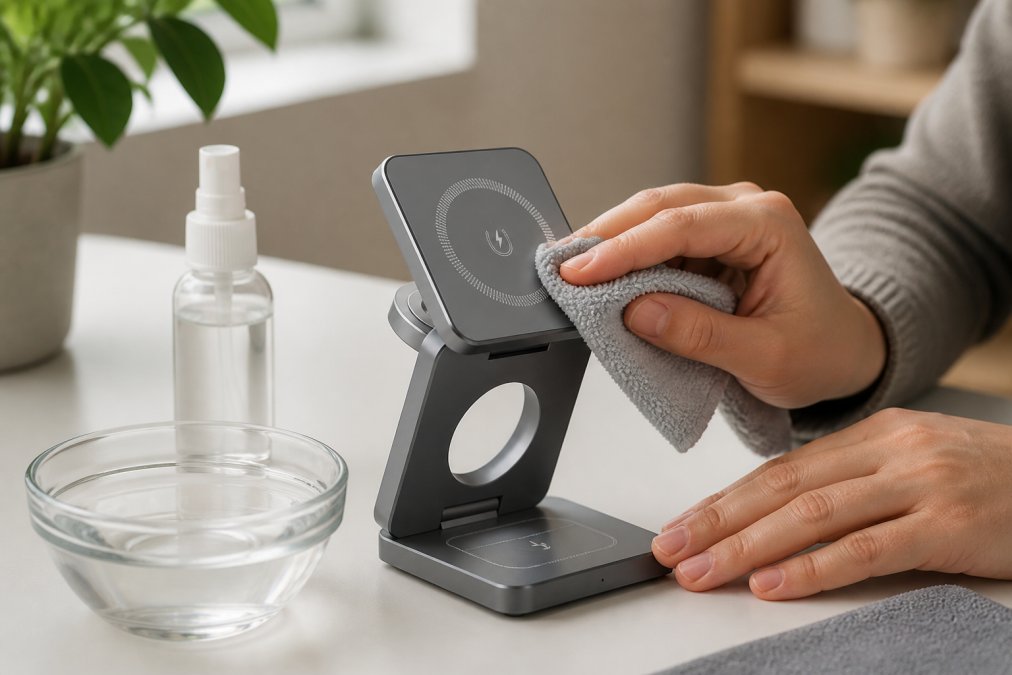
The first decision is what to use. Water alone isn't enough for most tech accessories. Dust and oils require a cleaning agent, but the wrong one causes permanent damage. Non-fragrant detergent diluted in distilled water works for most fabric-based gear like protective cases and cable organizers. The non-fragrant requirement matters because scented products contain oils that leave residue on synthetic fibers and can degrade durable water repellent coatings.
For metal components like charging port covers and zipper hardware, isopropyl alcohol at 70% concentration is effective (the FDA). It evaporates quickly and doesn't leave mineral deposits like tap water does. Never use bleach, acetone, or solvents on any tech accessory (the EPA). These strip coatings, discolor synthetic materials, and can damage the internal electronics if they seep through.
For delicate electronics like earbuds or charging contacts, avoid liquid cleaning entirely. Instead, use a soft, dry microfiber cloth to gently wipe the exterior. If buildup occurs on charging contacts, a slightly dampened cloth with distilled water works, but the item must air-dry completely before use.
Cleaning Different Device Types
Different tech accessories require different approaches. Wireless charging stations accumulate dust on the charging pad and around ventilation areas. Use a dry microfiber cloth first to remove loose dust, then a slightly dampened cloth with non-fragrant detergent solution to clean the surface. Never submerge a charging station. Allow it to air-dry for at least two hours before plugging it back in.
Protective cases and cable organizers can handle more aggressive cleaning. Hand-wash them in lukewarm water with non-fragrant detergent, scrub gently with a soft brush if needed, and air-dry completely. This removes accumulated grime without damaging the material.
Cables require careful attention because water can seep into connectors. Wipe the exterior with a dry cloth, and use a slightly dampened microfiber cloth on stubborn spots. Never soak cables or submerge connectors. Air-dry them horizontally on a clean surface.
Durable Water Repellent and Protective Coatings
Durable water repellent (DWR) coatings are applied to protective gear to shed water and resist moisture penetration. Over time, these coatings wear down through repeated use, washing, and exposure to sunlight. When you notice water no longer beads on the surface of a protective case or tech bag, the DWR coating has degraded.
Reapplying DWR is straightforward but requires the right product. Spray-on DWR treatments designed for technical clothing and gear work on most protective accessories. Clean the item first, apply the treatment according to product instructions, and allow it to cure for the recommended time before use. This process restores water-shedding capability and extends the lifespan of protective gear significantly.
The frequency of DWR reapplication depends on use. Heavy daily use might require reapplication every six months. Occasional use might stretch it to annual reapplication. The visual test is simple: spray water on the surface. If it beads and rolls off, the coating is still effective. If it spreads and soaks in, it's time to reapply.
Don't skip this step if your tech accessories include protective bags or cases designed for moisture resistance. The coating is what makes them protective. Without it, you're just carrying your gear in regular fabric that absorbs water.
Tech Gear Storage Solutions for Long-Term Care
How you store tech accessories when they're not in use directly impacts their lifespan. Poor storage creates the conditions for degradation: moisture accumulation, temperature swings, physical compression, and tangled cables that develop micro-fractures.
Temperature and Humidity Control
Electronic accessories perform best in stable environments. Extreme temperature swings cause materials to expand and contract, which stresses seams, connectors, and internal components. Humidity causes corrosion on metal parts and promotes mold growth on fabric-based gear.
Store tech accessories in a climate-controlled space. A temperature range of 60-75°F with humidity between 30-50% is ideal (nist.gov). Basements and attics are poor choices because they fluctuate seasonally. A bedroom closet or office shelf is better. If you're storing gear for extended periods, use silica gel packets in sealed containers to control moisture.
Never store gear in direct sunlight. UV exposure degrades synthetic fibers and breaks down protective coatings faster than almost anything else. A closed cabinet or drawer is better than a shelf in a bright room.
Organizing Cables and Accessories
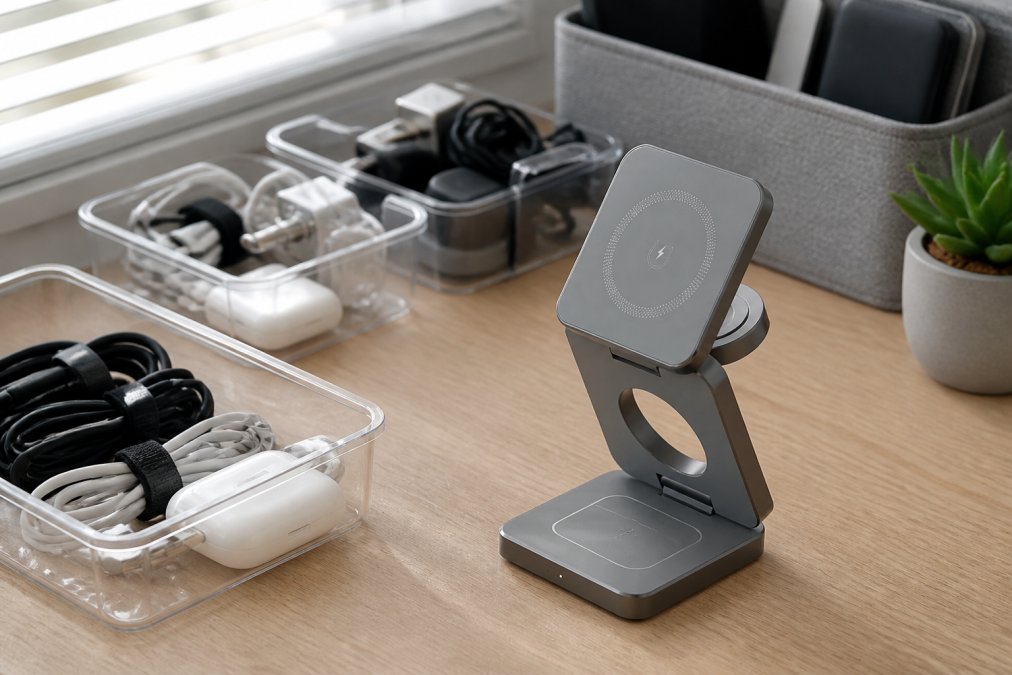
Cable management matters more than most people realize. Cables wound tightly develop stress points that eventually fracture. The internal copper conductors break, and the cable stops working. Proper organization prevents this.
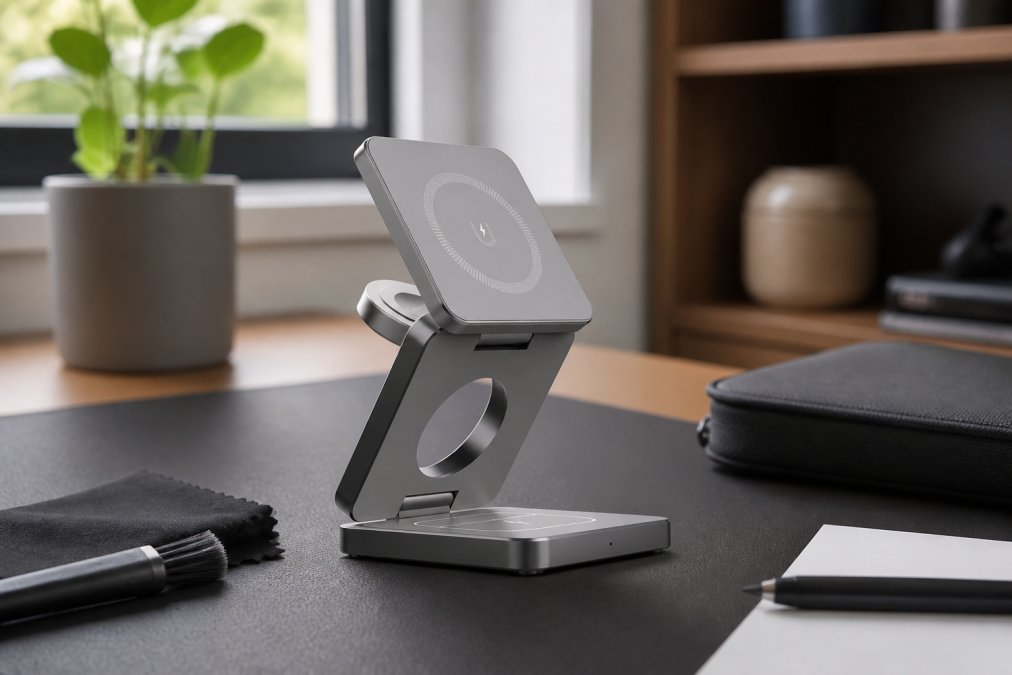
Use cable organizers or velcro wraps to secure cables loosely. Avoid wrapping cables tightly around charging stations or other gear. Instead, coil them gently and secure them with a velcro strap that doesn't constrict. The 3-in-1 Magnetic Wireless Charging Station from Esther Tech Shop solves part of this problem by consolidating three charging functions into one unit, eliminating multiple cables and reducing clutter. At $44.99, it's a practical investment that also simplifies storage by reducing the number of individual items to organize.
Store smaller accessories like earbuds and charging cases in labeled containers. This prevents them from getting lost and keeps them protected from dust and moisture. Clear containers let you see what's inside without opening them.
Extending the Lifespan of Electronic Accessories
Most tech accessories fail not because they were defective, but because preventative maintenance was skipped. Small problems compound. A tiny crack in a cable jacket expands. Dust buildup on a charging pad reduces efficiency. Corrosion on a connector spreads.
Preventative Maintenance Schedules
A simple maintenance schedule catches problems before they become failures. Monthly, inspect all regularly-used accessories for visible damage: frayed cables, cracks in protective cases, discoloration, or loose connectors. Clean them according to the methods outlined above. Quarterly, check charging contacts for corrosion or buildup and clean them if needed. Annually, reapply DWR coatings to protective gear and replace any cables showing wear.
This schedule takes minimal time but extends lifespan significantly. Most people skip it entirely, which is why they replace accessories constantly.
Gear Inspection and Hardware Maintenance
Zippers, clips, and connector hardware are mechanical components that wear with use. Inspect them regularly. If a zipper is sticking, clean it with a dry brush and apply a small amount of silicone-based lubricant. Don't use oil-based lubricants because they attract dust and degrade synthetic materials.
Check charging connectors for corrosion. If you see green or white buildup, it's oxidation. Clean it gently with a dry cloth or a cloth slightly dampened with isopropyl alcohol. Allow it to air-dry completely before plugging anything in.
For cables, inspect the jacket and connectors for cracks or damage. A small crack can be temporarily sealed with electrical tape, but it's a sign the cable is nearing end-of-life. Plan a replacement soon. Attempting to repair a damaged cable usually extends its life only a few weeks.
| Maintenance Task | Frequency | Time Required | What to Check |
|---|---|---|---|
| Visual inspection | Monthly | 5 minutes | Cracks, fraying, discoloration |
| Cleaning | Monthly | 10-15 minutes | Dust, buildup on surfaces and contacts |
| Connector cleaning | Quarterly | 5 minutes | Corrosion or oxidation on metal parts |
| DWR reapplication | Annually | 20 minutes | Water beading on protective gear |
| Hardware lubrication | As needed | 5 minutes | Sticky zippers or stiff clips |
Common Mistakes That Damage Tech Gear
Understanding what destroys accessories helps you avoid it. The most common mistake is using tap water for cleaning. Tap water contains minerals that leave deposits on connectors and can cause corrosion over time. Always use distilled water if liquid cleaning is necessary.
Another widespread error is storing gear in plastic bags. Plastic traps moisture against the surface, creating conditions for mold and corrosion. Use breathable storage containers or cloth bags instead.
Winding cables tightly around charging stations or other gear stresses the internal conductors. Coil them loosely instead, or use a dedicated cable organizer. Many people also ignore early signs of damage. A slightly frayed cable or a zipper that's starting to stick seems minor, but these problems compound. Address them immediately rather than waiting until the item fails completely.
Exposing tech accessories to extreme temperatures shortens their lifespan. Leaving a protective case in a hot car or a charging station in a cold garage accelerates material degradation. Store gear in climate-controlled spaces whenever possible.
Finally, many people skip the DWR reapplication step entirely. They assume the protective coating lasts forever. It doesn't. When water stops beading on your protective gear, the coating has degraded, and the gear is no longer as protective. Reapply it promptly.
Repairing vs. Replacing Damaged Accessories
At some point, you'll face a choice: repair the damaged accessory or replace it. The decision depends on the severity of the damage, the cost of repair, and the age of the item.
Minor damage like a small crack in a protective case or slight fraying on a cable jacket can be repaired. Electrical tape works for cable jackets. A small case crack can be sealed with clear epoxy if it doesn't affect functionality. These repairs extend life by weeks or months, which makes sense if the item is still relatively new.
Major damage is different. If a cable has multiple fractures or a charging station's internal components are damaged, repair is usually not practical. The cost of parts and labor often exceeds the cost of a new item. Additionally, repaired electronics can be unreliable. A repaired charging contact might work intermittently, creating frustration and potential safety issues.
Age is another factor. If an accessory is five years old and has served well, replacing it is often smarter than repairing it. Newer accessories likely have improved durability and better performance. The environmental impact of maintaining an old item versus replacing it with a more efficient newer one is worth considering too. A charging station that's degraded in efficiency uses more electricity over its remaining lifespan than a new, efficient model would use.
The practical guideline: repair minor damage on relatively new items. Replace items with major damage or those nearing the end of their useful life. This balances cost, reliability, and environmental responsibility.
Conclusion
Maintaining tech gear quality isn't about obsessive care or complex procedures. It's about understanding what damages your accessories and taking simple preventative steps to avoid it. Clean them with the right products. Store them in stable, organized conditions. Inspect them regularly. Reapply protective coatings when needed. These habits extend lifespan from years to decades.
At Esther Tech Shop, we believe quality accessories deserve quality care. That's why we've curated products designed for durability, like the 3-in-1 Magnetic Wireless Charging Station with stable 15W power delivery and a durable magnetic pad that keeps your devices properly aligned. Start with gear built to last, then maintain it properly. Get started with Esther Tech Shop and build a tech setup that serves you reliably for years to come.
Frequently Asked Questions
Q: How often should I perform maintenance on my tech gear?
A: For daily-use accessories like charging stations and cables, inspect them monthly for visible damage and clean them every 2-4 weeks. Preventative maintenance catches small issues before they compromise components.
Q: What cleaning agents are safe for sensitive tech surfaces?
A: For electronics and charging stations, use distilled water with a small amount of non-fragrant detergent. Always test cleaning solutions on a small, hidden area first. Never submerge electronic components; instead, use a damp microfiber cloth for surface cleaning.
Q: Does improper storage affect the performance of tech accessories?
A: Yes. Storing tech gear in damp, hot, or UV-exposed environments accelerates material breakdown and degrades protective coatings. Moisture promotes mold growth on synthetic fibers and corrodes mechanical components like zippers and connectors. Store accessories in cool, dry spaces with stable temperature control. Use breathable storage containers rather than sealed plastic bags, which trap moisture and reduce gear lifespan. Proper storage preserves and maintains the performance of your investment.
Q: How do I prevent wear and tear on professional tech equipment?
A: Implement preventative maintenance by inspecting gear monthly for damage to seams, zippers, and synthetic fibers. Air-dry accessories completely before storage to prevent moisture-related degradation. Use protective cases for portable devices. Store cables loosely to prevent kinks that damage internal conductors. Regular gear inspection and gentle handling extend lifespan significantly more than reactive repairs.
This article was written using GrandRanker