 how-to
How to Spot Quality Tech Gear: A 2026 Guide
Table of Contents
- Why Spotting Quality Tech Gear Matters for Your Setup
- Inspect Fabric Quality and Material Composition
- Examine Stitching Strength and Seam Integrity
- Evaluate Hardware and Button Quality
- Signs of High-Quality Electronic Peripherals
- How to Evaluate Tech Accessory Durability
- Best Tech Accessories for Remote Workers
- Common Red Flags to Avoid
Last Updated: August 18, 2026
Why Spotting Quality Tech Gear Matters for Your Setup
Learning to spot quality tech gear is the difference between a setup that lasts years and one that fails in months. When investing in peripherals and accessories, quality directly impacts productivity, comfort, and total cost of ownership.
At Esther Tech Shop, we've spent years helping remote professionals build setups they trust. The most common frustration isn't about price, it's about disappointment. A product looks polished in photos but feels cheap in hand, with weak stitching or connectors that fail after months of regular use.
Quality isn't always obvious at first glance. This guide walks you through specific inspection techniques that separate genuine quality from marketing hype, covering fabric composition, stitching integrity, hardware durability, and electronic component reliability.
Inspect Fabric Quality and Material Composition
The foundation of any quality tech accessory starts with materials. Understanding fabric quality tells you immediately whether something was built to last.
Check fiber content and weight
Fiber content and weight are the first signals of durability. Cheap accessories use thin synthetic blends that degrade quickly. Quality gear uses materials with measurable substance, heavier fabrics, natural fiber blends, or premium synthetics engineered for durability.
When inspecting a product, look for material specifications. Quality accessories specify exact fiber percentages and weight measurements. A gaming headset should specify foam density; a cable sleeve should list material composition and thickness. If a product omits these details, that's a red flag.

Run your hand across the material. Quality fabric has consistent texture without pilling, loose threads, or thin spots. Cheap materials feel flimsy with visible imperfections even when new. Weight matters significantly, pick up two similar products and compare. The heavier one usually indicates denser, more durable material.
Feel the hand and texture
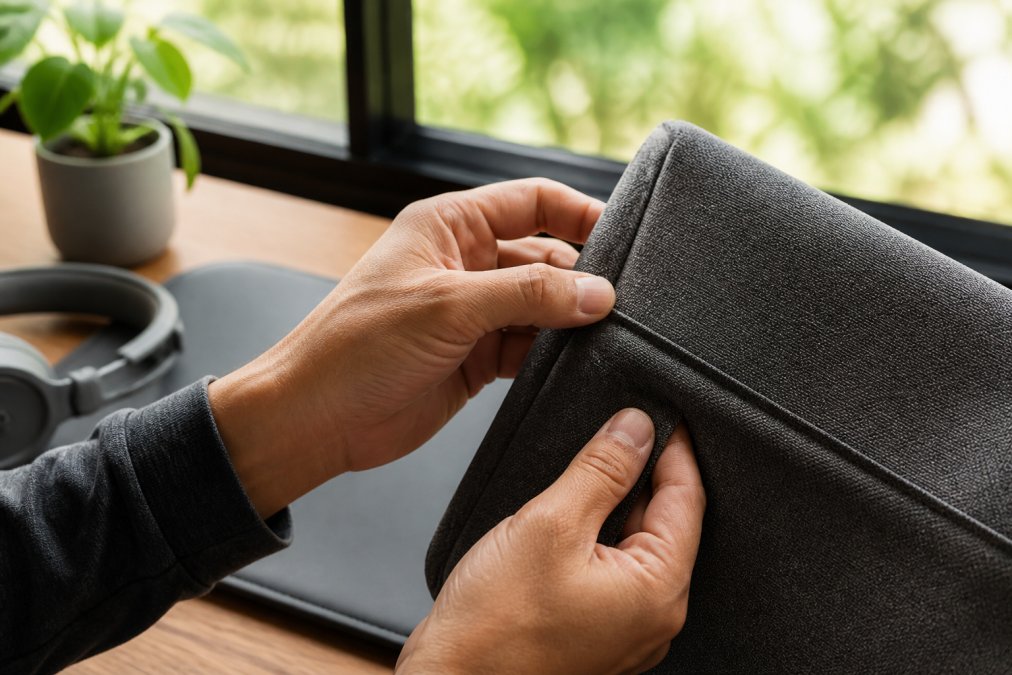
The hand feel of a material, how it feels when you touch it, is an underrated quality indicator. Quality materials have consistent, pleasant texture that feels substantial without being stiff. Premium fabrics have subtle smoothness; cheap ones feel waxy or rough.
Run your fingers across seams, edges, and finished surfaces. Quality accessories have even, smooth finishes. Rough edges, uneven stitching, or inconsistent texture indicate poor manufacturing control. Press gently on fabric or padding. Quality materials compress evenly and spring back consistently. Cheap foam often feels thin and collapses unevenly.
Examine Stitching Strength and Seam Integrity
Stitching strength determines whether an accessory holds together or falls apart. Poor stitching is one of the most common quality problems in tech accessories.
Examine stitching closely. Quality stitching is tight, even, and consistent. Count the stitches per inch when possible, quality seams typically have 8-12 stitches per inch, creating a dense, strong seam that resists unraveling.
Look for reinforced seams at stress points. Quality accessories have double stitching or reinforcement at corners, edges, and areas experiencing regular strain. A gaming headset's headband should have reinforced stitching where it connects to ear cups. A protective case should have reinforced corners and edges.

Check for loose threads or unfinished edges. Quality manufacturing includes proper edge finishing, sealed, folded, or bound. Frayed edges indicate rushed production and poor quality control. The seam allowance should be generous and consistent, at least 0.5 inches, providing a margin of safety.
Evaluate Hardware and Button Quality
Hardware durability directly impacts how long an accessory lasts. This includes buttons, connectors, zippers, clips, and any metal or plastic components.
Examine buttons and controls. Quality buttons have satisfying click or tactile response and feel solid. Press them multiple times, they should feel consistent every time. Cheap buttons feel mushy, stick occasionally, or have uneven response. Button attachment should be secure and reinforced.
Check connector quality carefully. Wiggle them gently to ensure they're firmly seated. Quality connectors have tight tolerances and don't move around. Look at connector construction, quality connectors have proper shielding, secure strain relief at the cable entry point, and solid construction.
Zippers on protective cases should slide smoothly without catching. Quality zippers have aligned teeth and smooth operation. Metal hardware should feel solid and substantial. Plastic hardware should feel rigid without excessive flex. Hardware should be securely fastened, not glued or loosely attached.
Signs of High-Quality Electronic Peripherals
Electronic peripherals like keyboards, mice, and headsets have specific quality indicators beyond general material assessment.
Weight and structural design
Weight and structural design reveal how a peripheral was engineered. Quality peripherals often weigh more because they use better materials and stronger internal construction. Examine overall structural design for reinforced internal structures and thoughtful weight distribution.
Look at the cable attachment point. Quality peripherals have proper strain relief where the cable connects. Check for flex or movement in the structure. Quality peripherals feel rigid and solid with minimal flex. Cheap peripherals often feel slightly loose or wobbly, indicating weak internal structure.
Cable quality and connector durability
Cable quality is critical for longevity. Quality cables use multiple internal conductors, proper shielding, and durable outer jackets. Examine the cable jacket under good lighting, quality cables have consistent, smooth outer jackets without thin spots.
The cable should be flexible without being flimsy. Bend it gently; quality cables flex smoothly and return to shape. Check connector construction carefully. Quality connectors have proper shielding, secure contacts, and reinforced strain relief. Test cable flexibility, quality cables maintain flexibility even in cold conditions.
How to Evaluate Tech Accessory Durability
Evaluating durability requires understanding how materials and construction hold up under real-world use.
Look for reinforcement and wear resistance
Quality accessories have reinforced areas at stress points. These reinforcements show whether the manufacturer anticipated weak points. Reinforced stitching, double material layers, and structural supports indicate durability was a design priority.
Examine high-stress areas carefully. Cable entry points should have reinforced strain relief. Hinges or flexible joints should have reinforced construction. Look for materials specifically chosen for wear resistance, fabric with tight weave that resists snagging and pilling.
Test stress points and finish
Stress points reveal durability through how materials respond to pressure and repeated flexing. Test flexible areas by gently flexing them multiple times. Quality construction maintains consistent feel without cracks, creases, or permanent deformation.
Examine finished surfaces for durability. Quality finishes are consistent and protective, resisting scuffing and scratching. Look for proper edge finishing, sealed, bound, or folded edges that protect against fraying. Check how materials handle stress. Press firmly on padded areas; quality padding maintains its shape.
Best Tech Accessories for Remote Workers
Remote workers benefit from quality accessories that support long hours of daily use. The best accessories combine durability, ergonomics, and reliability.
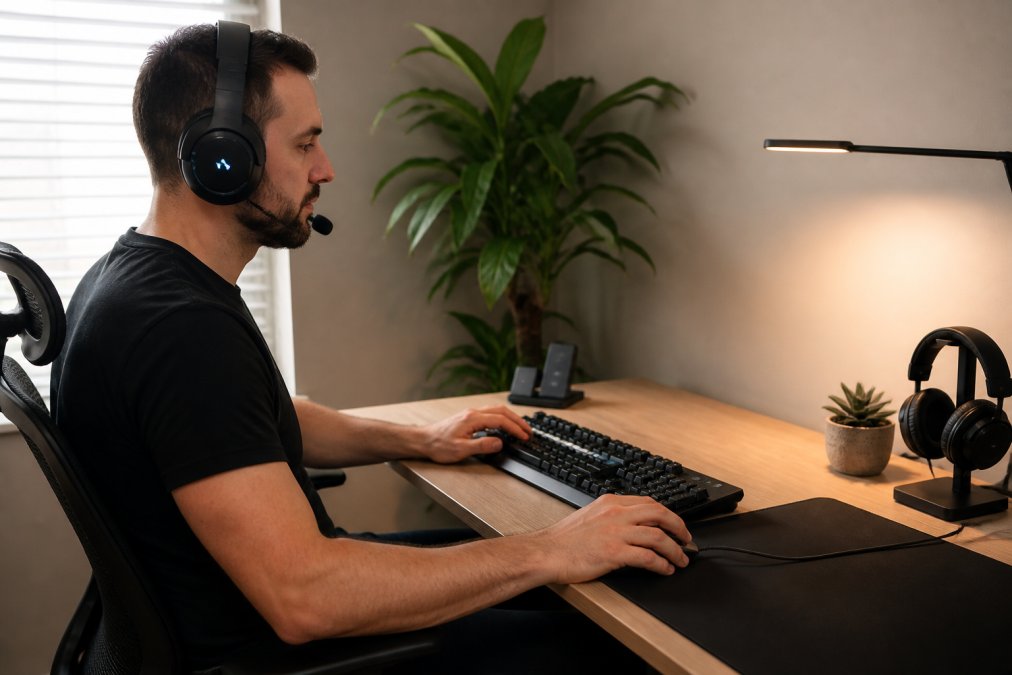
The Logitech G633s Wired Gaming Headset with Microphone at $302.11 represents quality construction for professionals needing reliable audio and clear communication. The headband has reinforced stitching at stress points, ear cups use quality materials, and the cable includes proper strain relief. For remote workers in video calls or content creation, this headset delivers durability and audio quality that justify the investment.
The Logitech G613 Wireless Mechanical Gaming Keyboard at $379.93 demonstrates quality through mechanical key construction, responsive switches, and durable keycaps. Mechanical keyboards maintain consistent response over years of use with strong construction and protective finish.

The Razer Viper Standard Edition Wired Gaming Mouse at $89.59 offers quality construction at an accessible price. It features reinforced button construction, quality cable with proper strain relief, and precise optical sensors. The lightweight design feels substantial, indicating thoughtful engineering.
The NUBWO N7 Wired Gaming Headset for PS4 and PC at $85.74 provides quality audio at a lower price point. The construction includes reinforced stitching, quality materials, and reliable cable construction, proving quality doesn't always require premium pricing.
When evaluating tech accessories for remote work, prioritize items used several hours daily. A quality headset or keyboard pays dividends through comfort and reliability. Esther Tech Shop curates accessories for durability and professional use, with fast shipping and customer support available Monday to Saturday, 9 a.m. - 8 p.m.
Common Red Flags to Avoid
Recognizing red flags saves you from investing in accessories that will disappoint.
Avoid products with vague or missing material specifications. Quality manufacturers provide exact fiber percentages, material weights, and construction details. Watch for inconsistent or poor-quality product photography showing loose threads, uneven stitching, or rough edges.
Be cautious of products with numerous negative reviews mentioning durability issues. Pay attention to failure patterns in reviews, they reveal where the design failed. Avoid extremely cheap prices for seemingly comparable products. Significant price differences usually indicate real quality differences.
Red flags in construction include visible loose threads, uneven stitching, rough edges, or misaligned components. Watch for weak cable construction, loose connector attachment, or inadequate strain relief. Be skeptical of marketing claims without supporting evidence. Claims like "premium quality" mean nothing without specific material specifications.
Avoid products with unnecessarily complex designs. Overcomplication often hides poor material quality. Quality accessories achieve durability through thoughtful design and quality materials.
Spotting quality tech gear requires attention to specific, verifiable details rather than brand names or marketing claims. By examining fabric composition, stitching integrity, hardware quality, and construction design, you can confidently identify accessories that will last. Esther Tech Shop specializes in carefully selected tech accessories meeting these quality standards, with fast shipping within 24-48 hours and customer service ready to help you find the right gear for your setup. Browse our curated selection of quality peripherals and accessories designed for professionals who demand durability and reliability.
Frequently Asked Questions
How can you tell if a tech accessory is built to last?
Check for heavy-gauge materials, reinforced stress points, and quality hardware. Lift the item, weight often signals durability. Examine seams for tight, even stitching with no gaps. Press on cables and connectors; they should feel solid, not flexible. Look for matte finishes rather than glossy coatings that chip easily. High-quality peripherals use metal components instead of plastic wherever they face wear. Test moving parts gently; they should operate smoothly without rattling or grinding sounds.
What materials indicate high-quality tech accessories?
Premium tech accessories use aluminum, stainless steel, or reinforced polymer housings. For fabric components, look for natural fibers (cotton, wool) or high-denier synthetic blends rated above 300 GSM. Metal connectors, braided cables, and rubberized grips indicate durability. Avoid thin plastic, flimsy hinges, and painted finishes that scratch easily. Check the product specification sheet for material certifications and manufacturing standards. Quality brands publish detailed tech packs showing exact material composition and sourcing practices.
What are the signs of poor manufacturing in tech peripherals?
Poor manufacturing shows through loose buttons, misaligned seams, and uneven stitching with visible gaps or thread pulls. Hardware feels cheap, buttons click without resistance, zippers snag, and connectors fit loosely. Cables are thin-walled and flexible; they kink easily and may show exposed copper. Finishes are uneven, with paint drips, rough edges, or inconsistent color. Plastic components feel hollow and flex excessively. Smell is a red flag too; chemical odors suggest low-quality adhesives and poor quality control. Missing or incomplete documentation signals corners cut on production specifications.
Why does build quality matter for remote work equipment?
Remote workers rely on their tech accessories for 8+ hours daily. Poor build quality leads to early failure, costing time and money on replacements. Quality gear reduces frustration from dropped connections, broken cables, or uncomfortable peripherals that cause fatigue. Durable accessories maintain consistent performance, protecting your productivity and focus. Investing in high-quality tech accessories means fewer interruptions, better ergonomics, and longer equipment lifespan. For professionals billing hourly or managing deadlines, equipment reliability directly impacts income and reputation.
This article was written using GrandRanker